AirPlay 2 and AirPlay 1
Use modern AirPlay 2 speakers and classic AirPlay receivers from one Windows app.
AirPlay audio for Windows
One app to connect HomePod, Apple TV, and compatible AirPlay receivers.
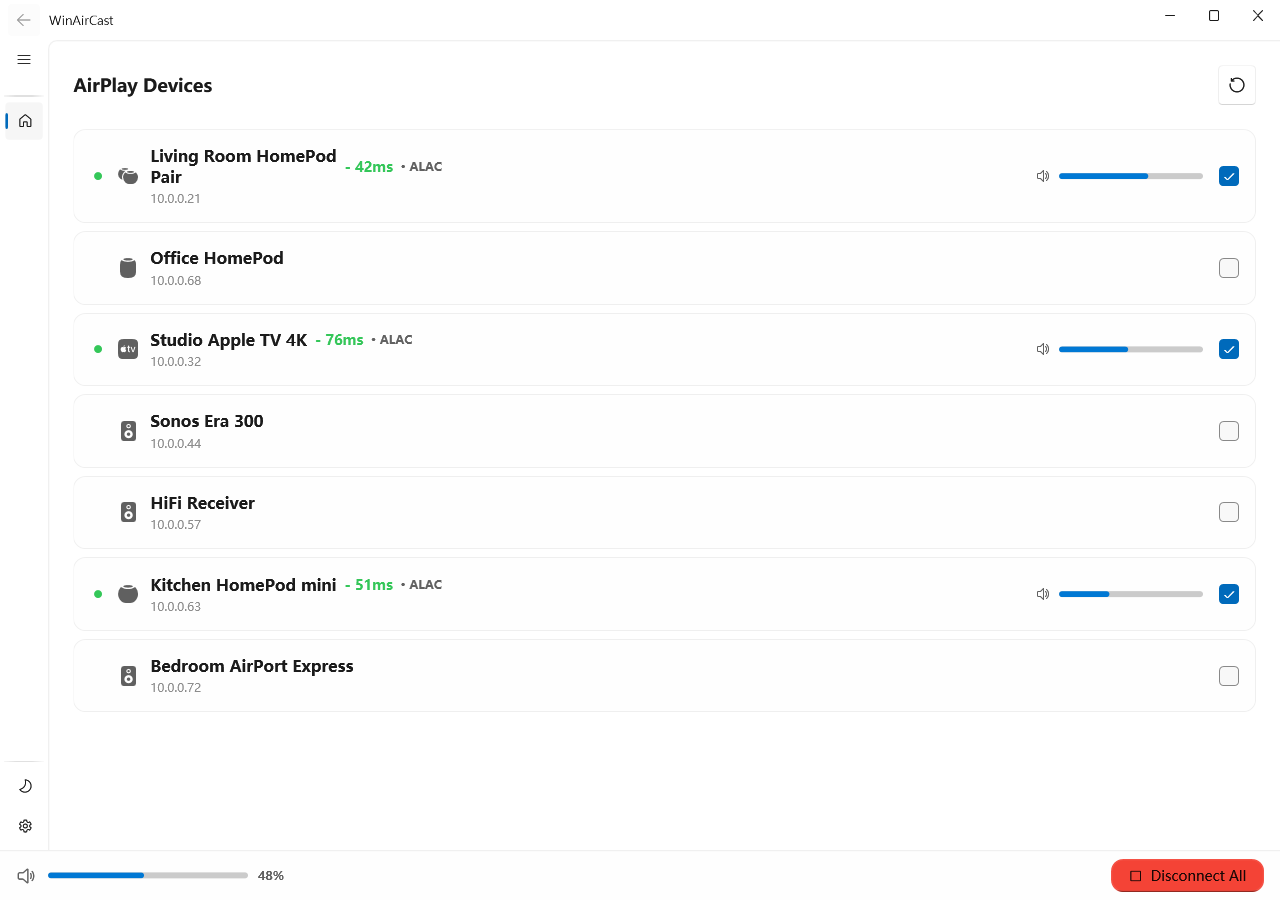
Use modern AirPlay 2 speakers and classic AirPlay receivers from one Windows app.
Connect, disconnect, adjust volume, handle PIN prompts, and keep favorite receivers ready.
Audio streams directly across your local network. WinAirCast does not run a cloud audio service.
Choose latency profiles that balance responsiveness and stability for movies, meetings, music, and everyday desktop audio.
Play to multiple compatible receivers together and keep grouped speakers aligned across rooms or listening zones.
WinAirCast
Explore the main workflows and settings that make WinAirCast fit different AirPlay devices and everyday desktop listening.
Whether your setup uses AirPlay 1 or AirPlay 2, HomePod, Apple TV, Sonos, and HiFi receivers appear in one clear device list with status, codec, latency, and volume details.
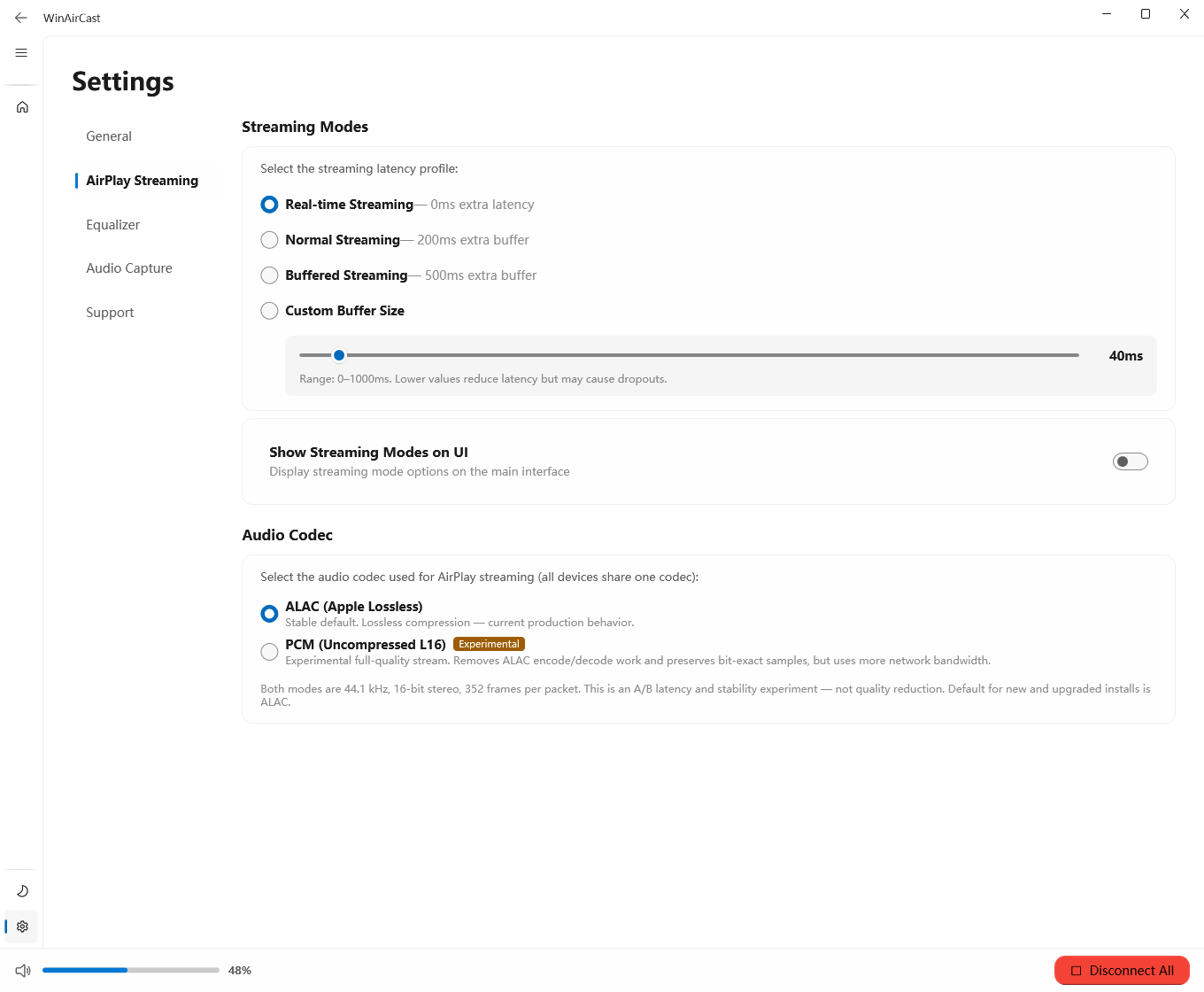
Tune codec behavior, latency, reconnect, and discovery settings for different AirPlay devices, from modern AirPlay 2 speakers to older AirPlay 1 receivers.
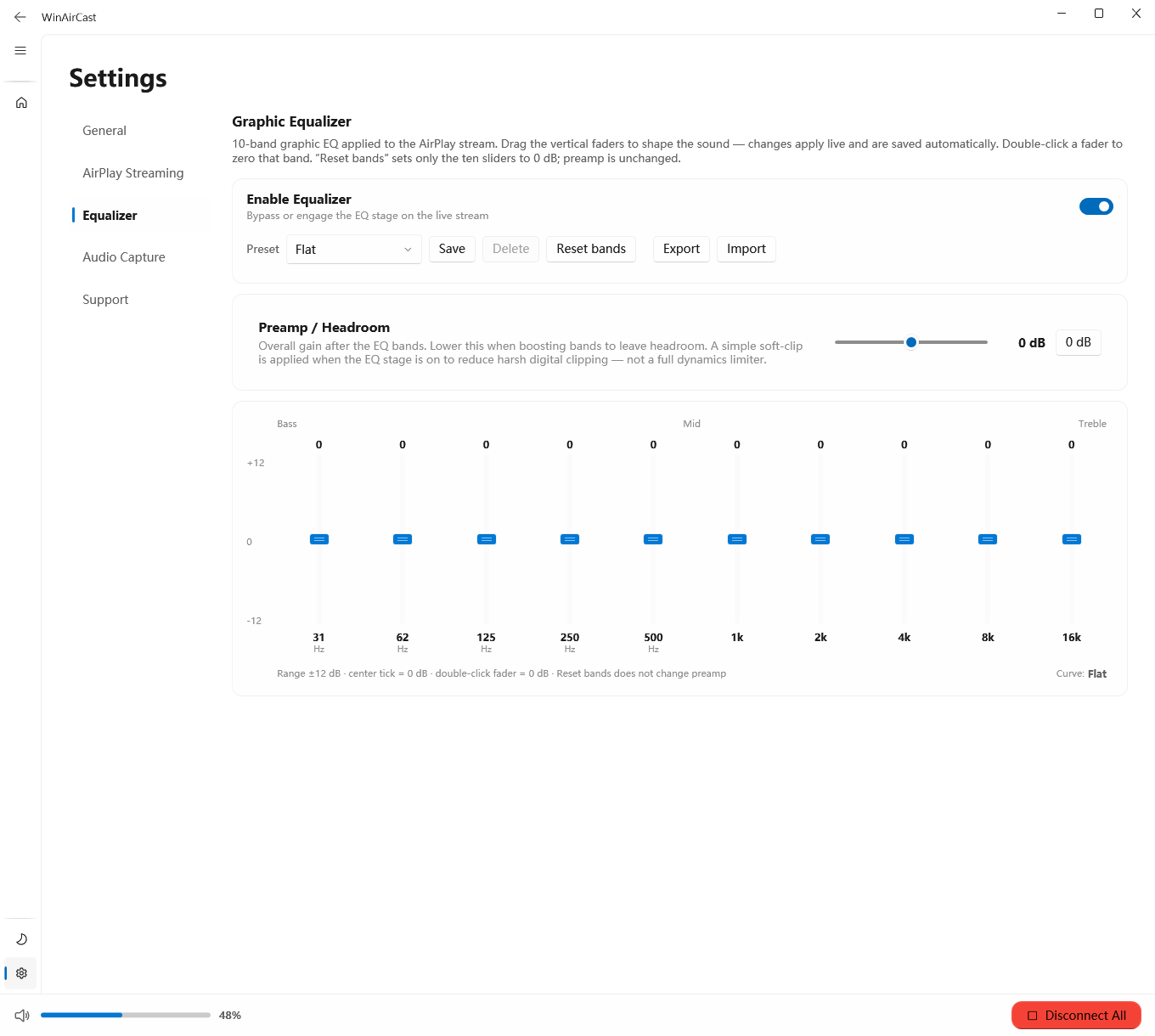
Shape the stream with a 10-band equalizer, preamp headroom, preset management, and import/export for repeatable tuning.
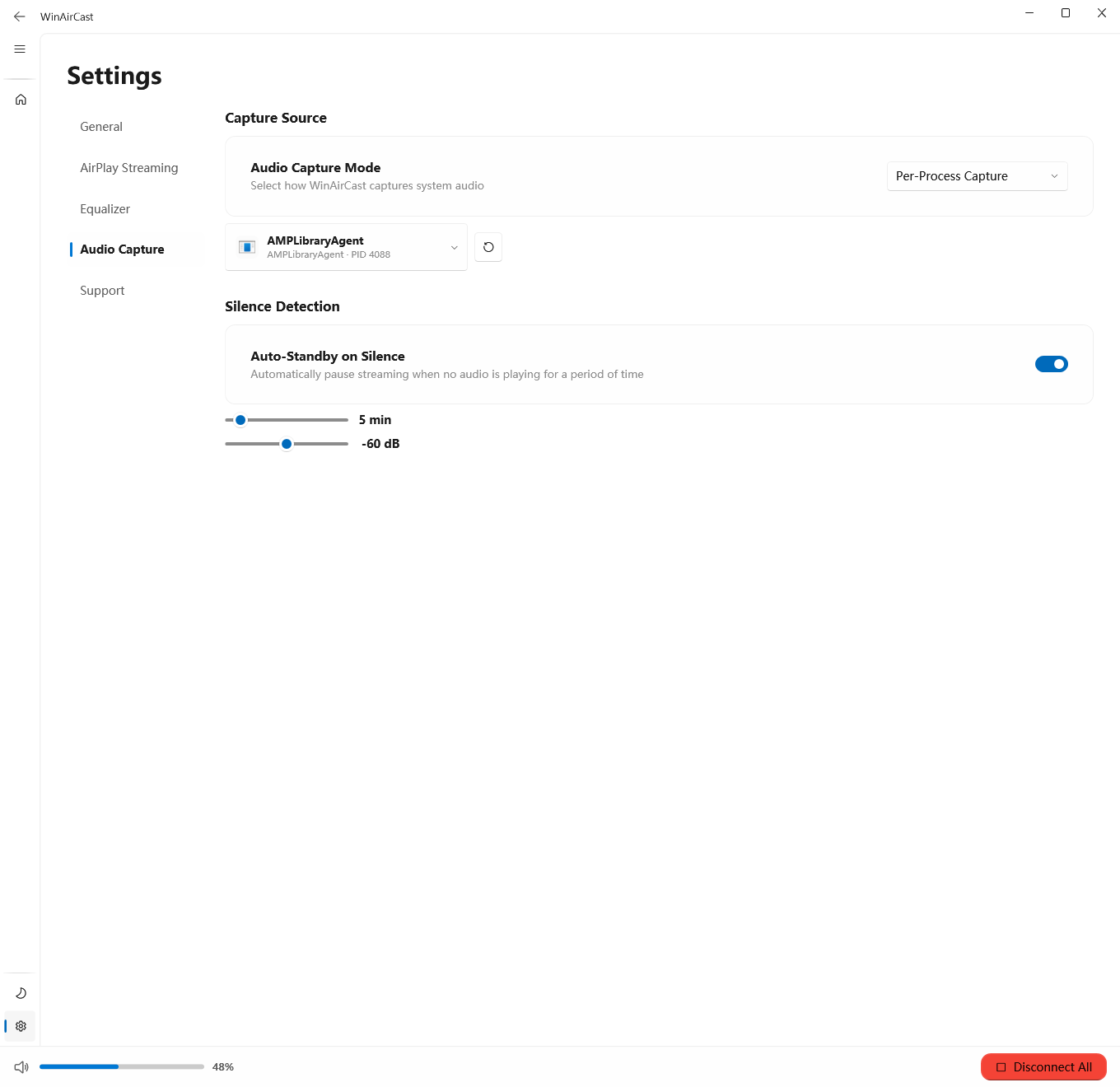
Choose how WinAirCast captures audio: system loopback, session/process capture, or a selected output path, then let silence standby pause the stream when playback stops.
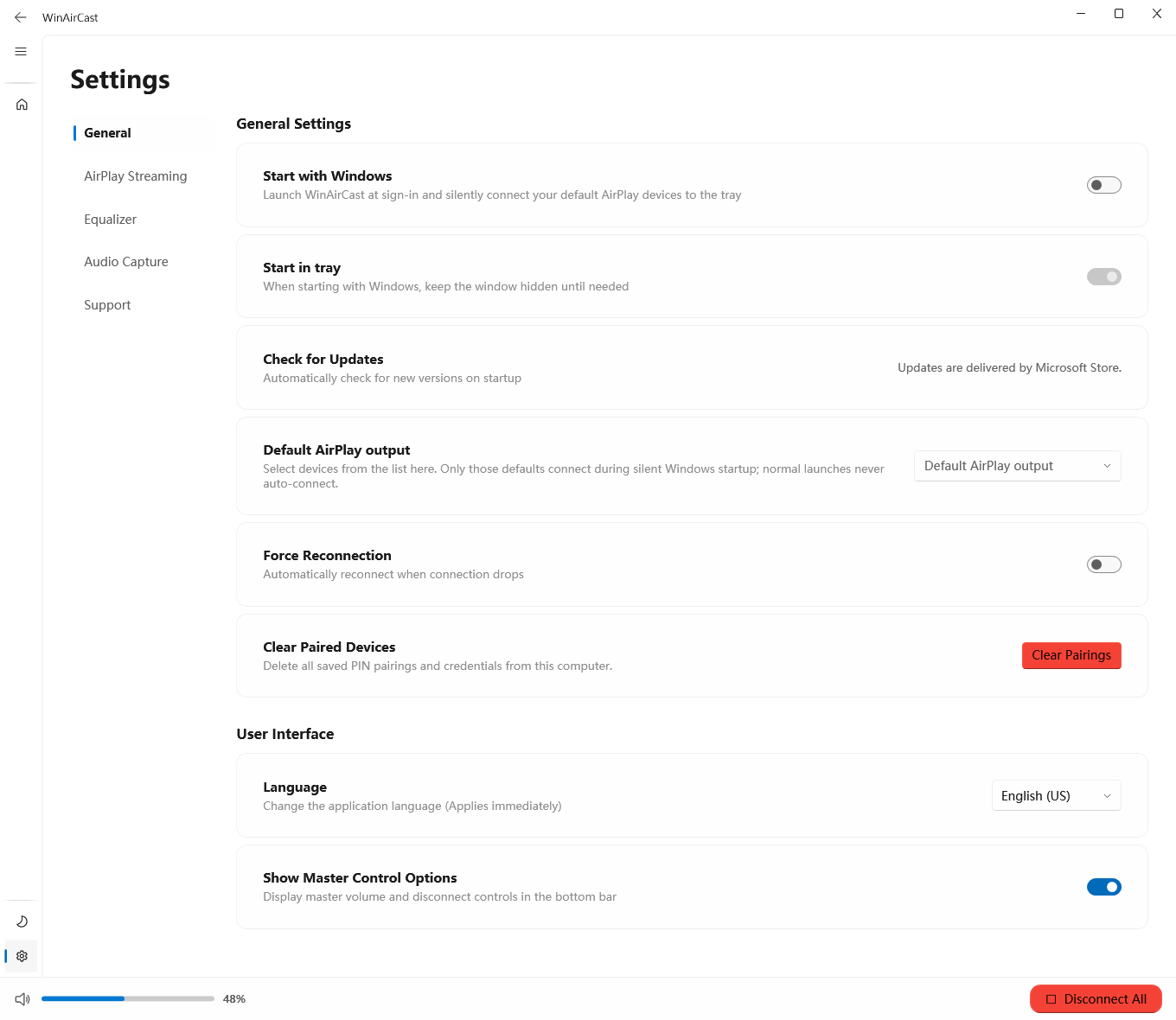
Adjust theme, language, startup behavior, diagnostics, support resources, privacy links, and notices so the app follows your own desktop habits.
Microsoft Store
Designed for repeat use: device discovery, reconnect behavior, codec choices, latency profiles, silence standby, equalizer presets, and diagnostics.
 View in Microsoft Store